Quantumult X的JavaScript编写
b站签到>.<
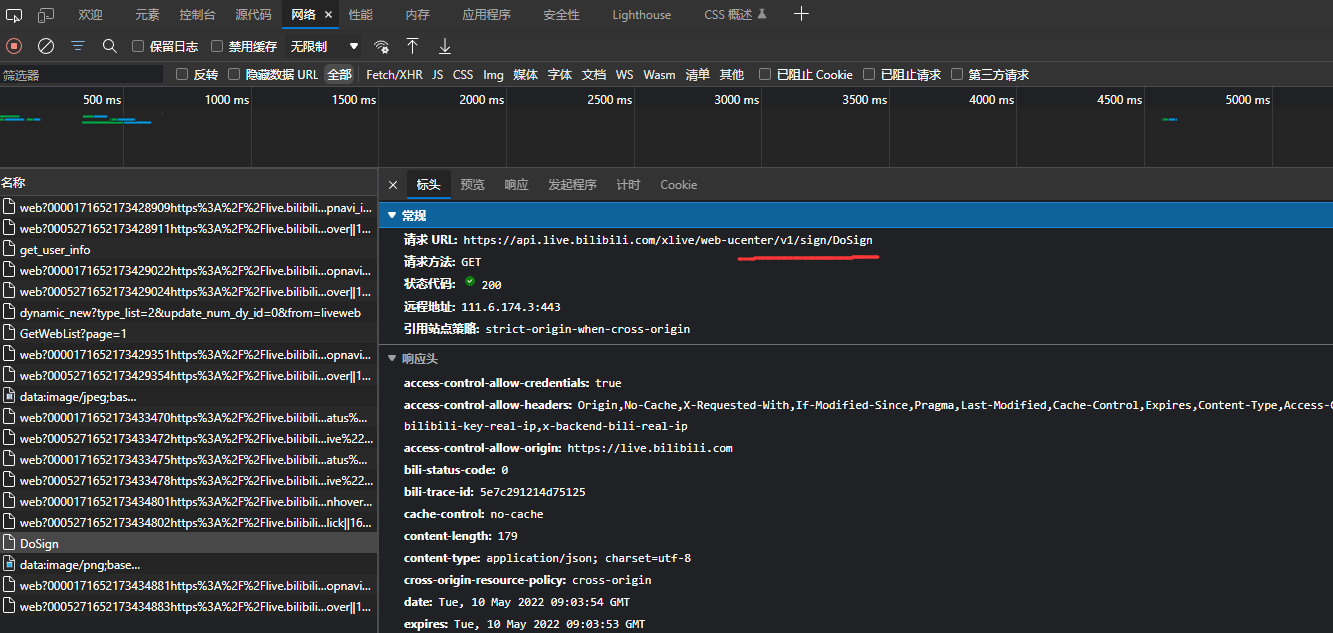
抓签到包
F12,签到,找签到数据包

编写脚本
其实Quantumult X有自动生成脚本,但是面对复杂的,它是解决不了的啦。
下面是我写的一个类,可以方便以后进行操作哈。
function initEnv() {
    //读取Quantumult X数据库里面的数据
	this.read = (key) => {
		return $prefs.valueForKey(key);
	}
    //通知
	this.notify = (title, subtitle, message) => {
		$notify(title, subtitle, message);
	}
	//随机数
    this.getRandom = (min,max) => {
        return Math.floor(Math.random() * (max - min + 1) ) + min;
    }
    //延迟
    this.sleep = (milliseconds) => {
        const date = Date.now();
        let currentDate = null;
        do {
            currentDate = Date.now();
        } while (currentDate - date < milliseconds);
    }
    //get请求
    this.get = (options, callback) => {
        options["method"] = "GET"
        $task.fetch(options).then(response => {
            callback(null, response)
        }, reason => callback(reason.error, null))
    }
    //post请求
	this.post = (options, callback) => {
        options["method"] = "POST"
        $task.fetch(options).then(response => {
            callback(null, response)
        }, reason => callback(reason.error, null))
	}
    //结束
	this.done = () => {
		$done();
	}
};
先在Quantumult X下创建一个js文件
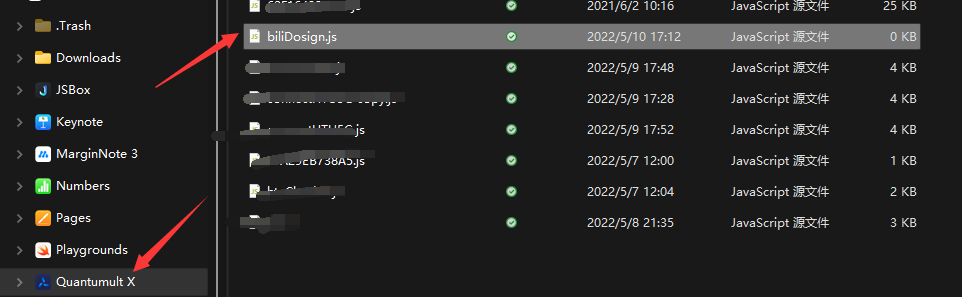
把刚刚的类复制到最下面,然后就可以写代码啦。
//先初始化一个类
const $ = new initEnv();
咱们开始写一个函数,完成签到的操作。
function dosign(){
    const url = "https://api.live.bilibili.com/xlive/web-ucenter/v1/sign/DoSign";
    const headers = {
        "cookie":"自己的cookie",
        "user-agent":"Mozilla/5.0 (Windows NT 10.0; Win64; x64) AppleWebKit/537.36 (KHTML, like Gecko) Chrome/101.0.4951.54 Safari/537.36 Edg/101.0.1210.39"
    };

    const myRequest = {
        url:url,
        headers:headers
    }
	//发一个get请求
    $.get(myRequest,(error,response)=>{
        if(error){
            console.log(error);
        }else{
            console.log(response.body);
            let body = JSON.parse(response.body);
            console.log(body.data);
        }
        $.done();//这个代表结束整个程序。
    })

}
//调用函数即可
dosign();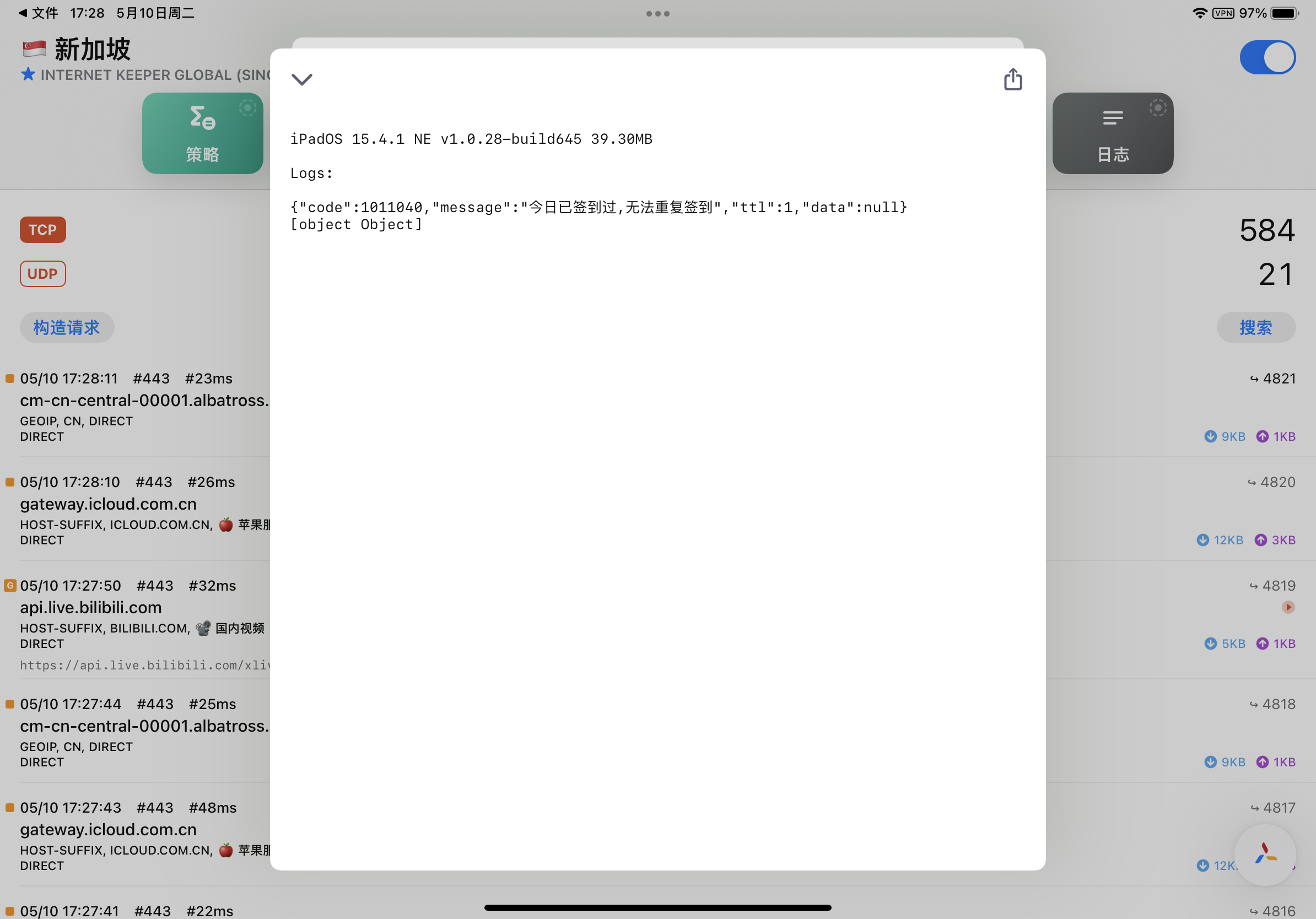
根据俩次的请求回应,我们修改一下签到函数。
function dosign(){
    const url = "https://api.live.bilibili.com/xlive/web-ucenter/v1/sign/DoSign";
    const headers = {
        "cookie":"your cookie",
        "user-agent":"Mozilla/5.0 (Windows NT 10.0; Win64; x64) AppleWebKit/537.36 (KHTML, like Gecko) Chrome/101.0.4951.54 Safari/537.36 Edg/101.0.1210.39"
    };

    const myRequest = {
        url:url,
        headers:headers
    }

    $.get(myRequest,(error,response)=>{
        if(error){
            console.log(error);
        }else{
            let body = JSON.parse(response.body);
            if(body.code===0){
                $.notify("bili签到~",body.data.text,body.data.specialText);
            }else{
                $.notify("bili签到~",body.message,"");
            }
        }
        $.done();
    })
}
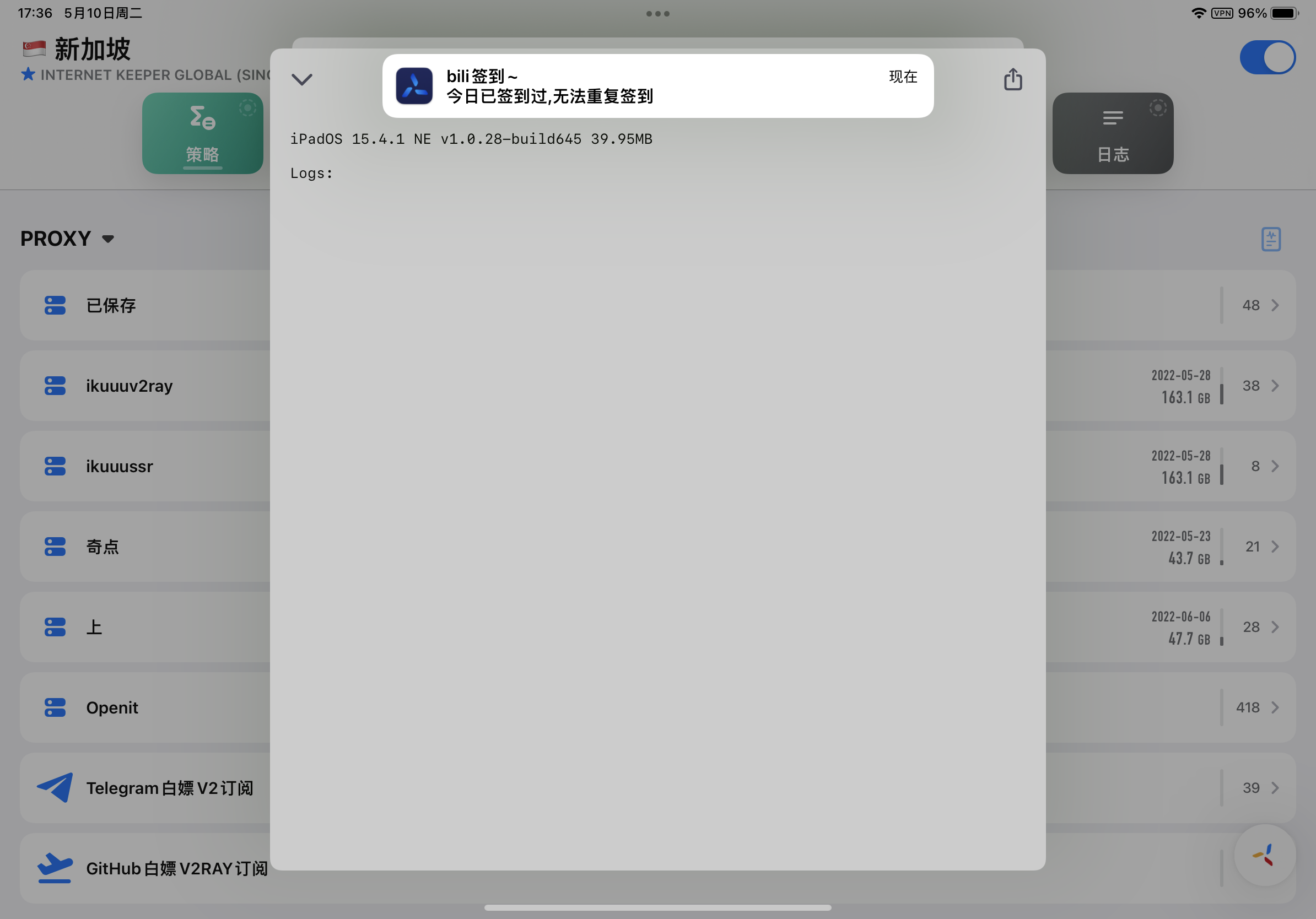
运行结果如下
自动获取COOKIE
Quantumult X内部有一个小型的数据库,也就是官网的数据持久化操作。
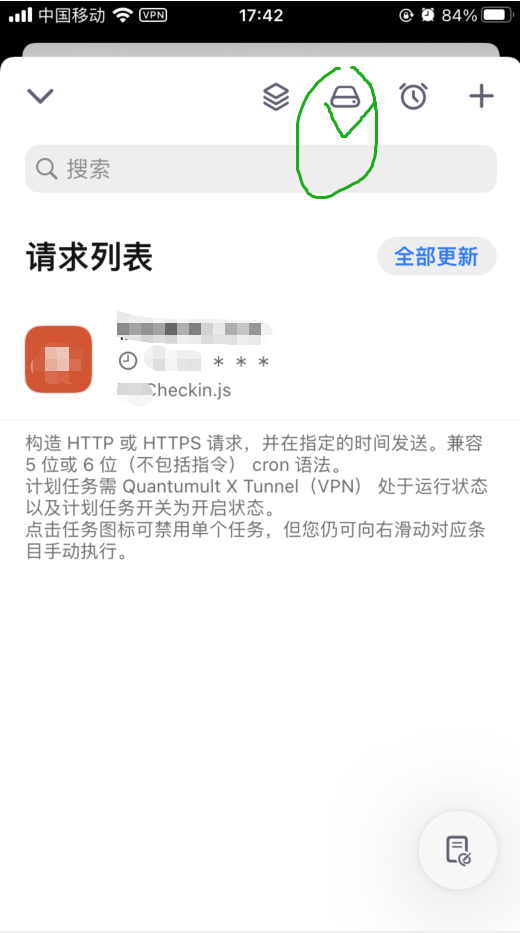
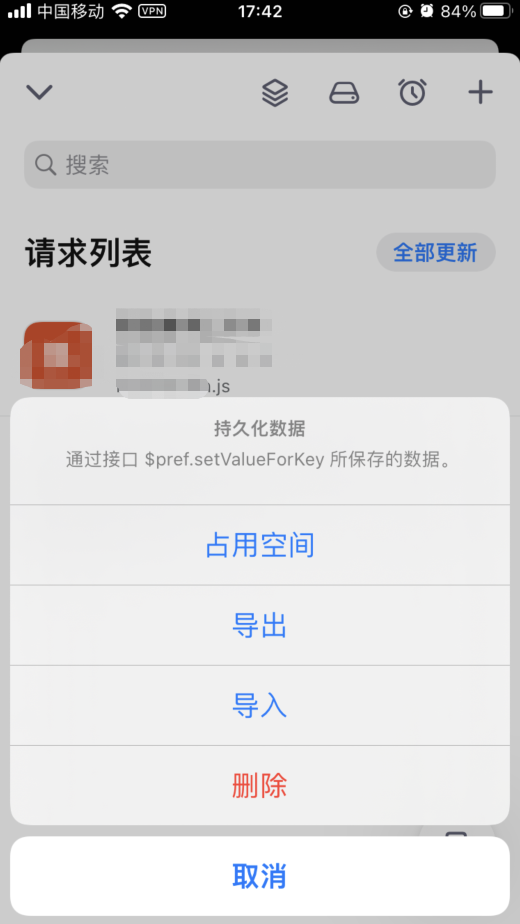
同时Quantumult X的rewrite操作可以运行js脚本,我们只需要,把cookie放入这里面就行啦。
cookie存入函数
下面的代码是在Github上找到一个获取COOKIE的模板。
function getCookie(name, key){
    var currentC = $request.headers.Cookie;
    var existC = key => $prefs.valueForKey(key);
    var create = (currentC, key) => $prefs.setValueForKey(currentC, key);
    if(currentC && existC(key)){
      currentC != existC(key) ?
      (create(currentC, key),
      $notify(name, "更新Cookie成功", "")) :
      console.log(name + "目前的cookie一致")
      }else{
          currentC != undefined ?
          (create(currentC, key),
          $notify(name, "获取cookie成功", "")) :
          $notify(name, "获取Cookie失败", "")
      }
  }
$done({})
编辑一个重写,当打开b站直播中心时自动运行,获取cookie,放入数据库中。
if($request.url.indexOf("DoSign")!=1){
    getCookie("BiliBili", "biliCookie");
}


function getCookie(name, key){
    var currentC = $request.headers.Cookie;
    var existC = key => $prefs.valueForKey(key);
    var create = (currentC, key) => $prefs.setValueForKey(currentC, key);
    if(currentC && existC(key)){
      currentC != existC(key) ?
      (create(currentC, key),
      $notify(name, "更新Cookie成功", "")) :
      console.log(name + "目前的cookie一致")
      }else{
          currentC != undefined ?
          (create(currentC, key),
          $notify(name, "获取cookie成功", "")) :
          $notify(name, "获取Cookie失败", "")
      }
  }
  $done({})
挂到到重写上即可
hostname = api.live.bilibili.com

^https:\/\/api\.live\.bilibili\.com\/xlive\/web-ucenter\/v1\/sign\/DoSign url script-request-header https://raw.githubusercontent.com/zhu-jiyuan/myJavaScripts/master/biliGetCookie.js
HTU校园网web认证
quantumult X 的网络请求是异步的,这对于咱一直没用过异步的孩子,多少有些痛苦。
由于这个脚本需要串行执行。
思路是这样的,先访问1.1.1.1,获取web认证的userip和认证ip,然后把获得的ip填入校园网认证表单中,发送POST请求,完成认证。
写了两种方式实现,仅供参考
await串行
await会让等待异步执行完之后,再执行下面的代码。但是只能在异步函数中使用。
const $ = new initEnv();
const stuNo = "学号";
const passwd = "密码";

let ips = "";

(async function(){
    await getIp();
    console.log(ips);
    $.done();
})()


function getIp(){
    const url = "http://1.1.1.1";
    const headers = {};
    const myquests = {
        url: url,
        headers: headers
    }
    return new Promise(resolve => {
        $.get(myquests,(error,response) => {
            try {
                if (error) throw new Error(error);
                let body = response.body;
                //console.log(body);
                ips = body.match(/(25[0-5]|2[0-4]\d|[0-1]\d{2}|[1-9]?\d)\.(25[0-5]|2[0-4]\d|[0-1]\d{2}|[1-9]?\d)\.(25[0-5]|2[0-4]\d|[0-1]\d{2}|[1-9]?\d)\.(25[0-5]|2[0-4]\d|[0-1]\d{2}|[1-9]?\d)/g);
                //console.log(ips);
            }catch (e) {
                console.log(e);
            }finally {resolve();}
        })
    })
}

function loginHtu(){
    const url = "http://"+ips[0]+"/portalAuthAction.do";
    const body = {
            "wlanuserip":ips[1],
            "wlanacname":"HNSFDX_H3C-S8808-X",
            "chal_id":" ",
            "chal_vector":" ",
            "auth_type":"PAP",
            "seq_id":" ",
            "req_id":" ",
            "wlanacIp":"210.42.255.60",
            "ssid":" ",
            "vlan":" ",
            "mac":" ",
            "message":" ",
            "bank_acct":" ",
            "isCookies":" ",
            "version":"0",
            "authkey":"88----89",
            "url":" ",
            "usertime":"0 ",
            "listpasscode":"0",
            "listgetpass":"0",
            "getpasstype":"0",
            "randstr":"2880",
            "domain":"",
            "isRadiusProxy":"false",
            "usertype":"0 ",
            "isHaveNotice":"0",
            "times":"12"," weizhi":"0"," smsid":"",
            "freeuser":"",
            "freepasswd":"",
            "listwxauth":"0",
            "templatetype":"1 ",
            "tname":"shida_pc_portal_V1.1",
            "logintype":"0",
            "act":"",
            "is189":"false",
            "terminalType":"",
            "checkterminal":"true",
            "portalpageid":"101",
            "listfreeauth":"0",
            "viewlogin":"1",
            "userid":stuNo,
            "authGroupId":" ",
            "useridtemp":stuNo,
            "passwd":passwd
        }
    const headers = {}
    const myquests ={
        url:url,
        headers:headers,
        body:JSON.stringify(body)
    }
	return new Promise(resolve=>{
		$.post(myquests,(error,response) => {
            try {
                if (error) throw new Error(error);
                console.log(response.body);
            }catch (e) {
                console.log(e);
            }finally {resolve();}
        })
    })


}


function initEnv() {

	this.read = (key) => {
		return $prefs.valueForKey(key);
	}
	this.notify = (title, subtitle, message) => {
		$notify(title, subtitle, message);
	}

    this.getRandom = (min,max) => {
        return Math.floor(Math.random() * (max - min + 1) ) + min;
    }
    this.sleep = (milliseconds) => {
        const date = Date.now();
        let currentDate = null;
        do {
            currentDate = Date.now();
        } while (currentDate - date < milliseconds);
    }
    //get请求
    this.get = (options, callback) => {
        options["method"] = "GET"
        $task.fetch(options).then(response => {
            callback(null, response)
        }, reason => callback(reason.error, null))
    }
    //post请求
	this.post = (options, callback) => {
        options["method"] = "POST"
        $task.fetch(options).then(response => {
            callback(null, response)
        }, reason => callback(reason.error, null))
	}
    //结束
	this.done = () => {
		$done();
	}
};
回调串行
这个请参考MDN上的JavaScript教程
// Variables used by Scriptable.
// These must be at the very top of the file. Do not edit.
// icon-color: green; icon-glyph: magic;
/**
* Connect HTU WIFI
* by@zhujiyuan
* version 1.0
*/
const $ = new initEnv();
const stdNo = "";
const passwd = "";
let ips = [];
connectHTU();
function connectHTU() {
getIp(()=>{
//console.log(ips[0]);
const url = 'http://'+ips[0]+'/portalAuthAction.do';
const body = 'wlanuserip='+ips[1]+'&wlanacname=HNSFDX_H3C-S8808-X&chal_id=&chal_vector=&auth_type=PAP&seq_id=&req_id=&wlanacIp=210.42.255.60&ssid=&vlan=&mac=&message=&bank_acct=&isCookies=&version=&authkey=88----89&url=&usertime=0&listpasscode=0&listgetpass=0&getpasstype=0&randstr=8289&domain=&isRadiusProxy=false&usertype=0&isHaveNotice=0×=12&weizhi=0&smsid=&freeuser=&freepasswd=&listwxauth=0&templatetype=1&tname=shida_pc_portal_V1.1&logintype=0&act=&is189=false&terminalType=&checkterminal=false&portalpageid=101&listfreeauth=0&viewlogin=1&userid='+stdNo+'&authGroupId=&useridtemp='+stdNo+'&passwd='+passwd;
//console.log(url);
//console.log(body);
const myquests ={
url:url,
body:body
}
$.post(myquests,(error,response) => {
if (error) {
console.log(error);
}
let resp = response.body;
//console.log(resp);
if(resp.indexOf("河南师范")!=-1){
$notify("HTU connection success~","","");
}else{
$notify("HTU connection failed","","");
}
$.done();
})
})
}
function getIp(cb){
const url = "http://1.1.1.1";
const headers = {};
const myquests = {
url: url,
headers: headers
}
$.get(myquests,(error,response) => {
let body = response.body;
//console.log(body);
ips = body.match(/(25[0-5]|2[0-4]\d|[0-1]\d{2}|[1-9]?\d)\.(25[0-5]|2[0-4]\d|[0-1]\d{2}|[1-9]?\d)\.(25[0-5]|2[0-4]\d|[0-1]\d{2}|[1-9]?\d)\.(25[0-5]|2[0-4]\d|[0-1]\d{2}|[1-9]?\d)/g);
//console.log(ips[1]);
if(ips[0]==="1.1.1.1"){
//console.log("over!");
$.done();
}
cb();
})
}
function initEnv() {
this.read = (key) => {
return $prefs.valueForKey(key);
}
this.notify = (title, subtitle, message) => {
$notify(title, subtitle, message);
}
this.getRandom = (min,max) => {
return Math.floor(Math.random() * (max - min + 1) ) + min;
}
this.sleep = (milliseconds) => {
const date = Date.now();
let currentDate = null;
do {
currentDate = Date.now();
} while (currentDate - date < milliseconds);
}
//get请求
this.get = (options, callback) => {
options["method"] = "GET"
$task.fetch(options).then(response => {
callback(null, response)
}, reason => callback(reason.error, null))
}
//post请求
this.post = (options, callback) => {
options["method"] = "POST"
$task.fetch(options).then(response => {
callback(null, response)
}, reason => callback(reason.error, null))
}
//结束
this.done = () => {
$done();
}
};
(待更新,如果你有看到我,请提醒他去更新一下)
Change logs
May 25,2022
- 更新校园网js示例